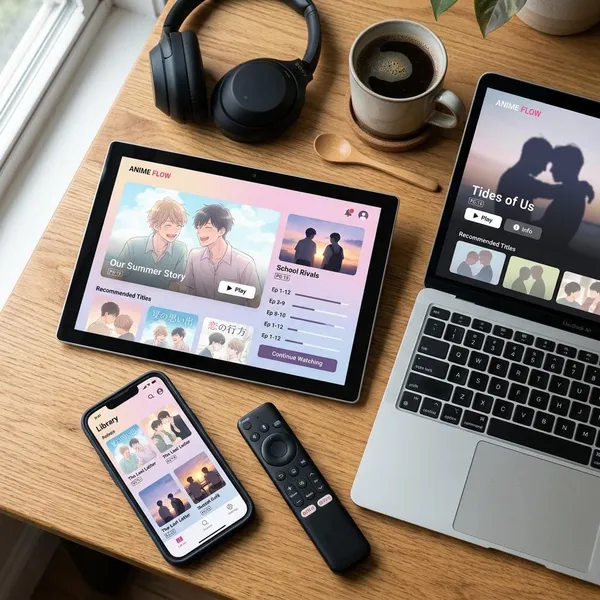
If you want anime ready before a flight, commute, or hotel stay with bad Wi-Fi, the safest choice is a legal app with built-in downloads. For most people, the best offline anime streaming apps to compare are Crunchyroll, Netflix, and HIDIVE: Crunchyroll is strongest for anime-first viewing, Netflix is easiest if you already use it, and HIDIVE is more of a niche add-on for specific titles.
Best offline anime apps at a glance
Start with the show you actually want to watch, then check the device and download rules. A big catalog is not very helpful if your chosen anime is not downloadable in your region or only works on a device you do not plan to carry.
| App | Best fit | Watch out for |
|---|---|---|
| Crunchyroll | Regular anime viewers who want the deepest anime-focused library | Offline viewing is tied to eligible paid plans and supported devices |
| Netflix | Casual viewers, families, and anyone who wants anime plus general entertainment | Anime selection and download rules vary by title, region, and plan |
| HIDIVE | Fans chasing exclusives, niche shows, or harder-to-find series | More limited regions, app support, stored-title limits, and viewing windows |
How the main offline anime apps compare
The best app changes depending on your viewing situation. Someone preparing ten episodes for a long-haul flight needs stronger storage controls and expiration awareness. Someone watching one episode on a daily commute may care more about a quick download button and a phone-friendly app.
Anime catalog and exclusives
Crunchyroll usually wins on anime depth. It is the strongest pick if you want the widest anime-first selection and do not want to jump between apps every time you start a new series.
- Choose Crunchyroll for seasonal anime, larger back catalogs, and anime-focused browsing.
- Choose Netflix for mainstream anime, originals, films, and a smaller but easier catalog.
- Choose HIDIVE when one exclusive or harder-to-find title is the real reason you are subscribing.
Subscription requirements
Crunchyroll requires an eligible paid tier for downloads, Netflix includes downloads according to its current plan and device rules, and HIDIVE requires an active subscription through supported apps. Before paying for a service just for offline viewing, search for the exact anime first and confirm that the download icon appears.
Supported download devices
Phones and tablets are the safest bet across these services. Laptop downloads are less predictable because support can change by platform, operating system, and app availability.
Download quality and storage controls
Download quality is more than a picture preference; it decides how many episodes fit on your device. Standard quality is often fine on a phone, especially for commuting. Higher quality is more worthwhile on a tablet or when you know you will watch several episodes in one sitting.
- Low storage: use a lower quality setting and download fewer shows.
- Long trip: prioritize more episodes over maximum sharpness.
- Tablet viewing: higher quality may be worth the extra space.
- Netflix users: Smart Downloads can help remove watched episodes automatically.
Expiration and renewal limits
Offline anime downloads can expire, even when they downloaded correctly. The limit may depend on the app, title license, subscription status, region, or whether playback has already started.
Regional availability
Regional rules affect all three apps. Crunchyroll and Netflix may be widely available, but their anime libraries still vary by country. HIDIVE can be more limited, so it needs the most careful checking before you subscribe or travel.

Why Crunchyroll is the best overall choice
Crunchyroll is the best overall offline pick for people who mainly want anime, not a general entertainment app with some anime inside it. Its advantage is not just catalog size; it is the combination of anime-focused browsing, eligible offline access, download quality control, and a better chance of finding several shows worth saving before you leave Wi-Fi.
Large anime-focused catalog
A focused anime catalog makes planning easier. Instead of digging through unrelated shows, you can build a travel queue from seasonal titles, older series, and different genres in one place.
Episode and full-season downloads
Crunchyroll is useful whether you want to sample a few episodes or prepare a bigger run of a series. For a commute, downloading one or two episodes is enough. For a delayed flight, a full-season queue is much more comfortable.
Adjustable download quality
Quality control helps when your phone storage is tight. Lower quality can free enough space for several extra episodes, while higher quality makes more sense on a tablet or larger screen.
Offline access on eligible plans
Crunchyroll does allow offline viewing, but only through eligible paid plans and supported apps. That is reasonable for frequent anime viewers, but it is still something to check before signing up.
If your subscription lapses or your plan does not include downloads, saved episodes may not work the way you expect. Do a small test download before you build a full offline library.
Titles that may vary by country
Crunchyroll's library is not identical everywhere. A title can be available in one country, missing in another, or affected by different download rights.
For most anime-first viewers, Crunchyroll still has the strongest safety net because the overall catalog is large. But if one specific series is the whole reason you are subscribing, search for that title in your region before making the decision.
When Netflix is the better option
Netflix is the better option when convenience matters more than having the deepest anime library. It is especially practical for mixed households, casual anime viewers, and anyone who already pays for Netflix and only needs a few reliable offline downloads.
Mainstream anime and original series
Netflix works well if you mostly watch recognizable anime, originals, popular films, or shows with broad appeal. It is less useful if you want the deepest seasonal catalog or older niche series.
Easy episode and season downloads
The download experience is one of Netflix's biggest strengths. If a title supports downloads, the button is usually easy to find, and saved episodes are simple to manage.
Smart Download features
Smart Downloads can remove watched episodes and save the next ones when you reconnect, depending on your settings and plan. That is helpful if you binge-watch during commutes and often forget to clean up storage.
Broader entertainment beyond anime
Netflix becomes more attractive when anime is only one part of your offline viewing. On a family trip, one person can download anime while someone else saves films, kids' shows, or drama series in the same app.
This broader value is why Netflix can be the smarter practical choice even when Crunchyroll is the better anime service. The right answer depends on how much of your viewing time is actually anime.
Plan and title-specific download limits
Netflix downloads are not unlimited. Some titles may not support downloads, some may expire sooner, and device limits can depend on the plan and current app rules.
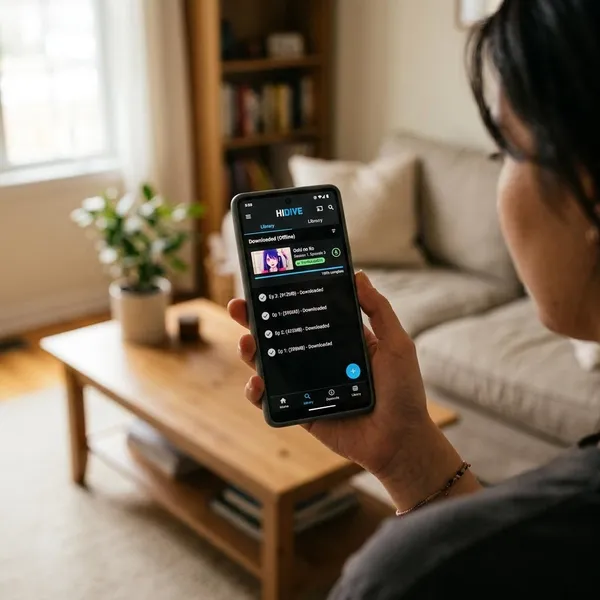
What HIDIVE offers offline viewers
HIDIVE is best judged as a specialist option. It can be very useful when it has the exact anime you want, but it is not the smoothest all-purpose offline app for most viewers.
Exclusive and harder-to-find anime
HIDIVE's main appeal is access. If a particular exclusive, older title, or less mainstream series matters to you, HIDIVE may be worth keeping for that show alone.
That is a different kind of value from Crunchyroll or Netflix. You are not choosing HIDIVE because it solves every offline viewing problem; you are choosing it because it may solve one specific anime problem better than the bigger apps.
Downloads through supported mobile apps
HIDIVE offline viewing depends on supported mobile apps. If you plan to use it during travel, download a test episode on the same phone or tablet you will carry and try playback with internet turned off.
A limit on stored titles
Stored-title or download limits can make HIDIVE feel tighter than larger services. Instead of building a huge offline backlog, use it for the episodes you realistically expect to watch soon.
Short viewing windows after playback begins
Some HIDIVE downloads may have shorter viewing windows once playback starts. That is fine if you watch episodes in one sitting, but it can be annoying if you start, pause, and return days later.
More limited regional availability
HIDIVE's availability is more limited than Crunchyroll or Netflix in many places. Before subscribing, check whether the service works in your country and whether the exact title you want is available to download there.
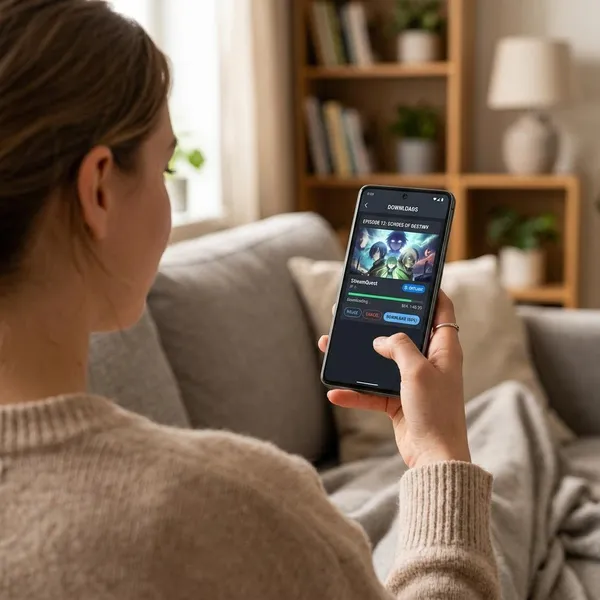
How to download anime for offline viewing
The safest way to prepare is boring but effective: use stable Wi-Fi, leave enough storage, download earlier than you think you need to, and test playback before going offline. Most failed offline viewing plans come from waiting until the last minute.
Choose a downloadable title
Open the anime title page and look for the download icon or download option. Streaming access does not always mean download access, especially when licensing rules differ by title or country.
If you are looking at tools like Aniyomi on Android, remember that it is not the same kind of official subscription service as Crunchyroll, Netflix, or HIDIVE. Use legal sources, be careful with extensions, and do not assume the experience will be as predictable as a mainstream streaming app.
Select the episode or season
Pick based on the time you will actually have. For a short commute, one episode is enough. For a long flight with possible delays, a fuller queue makes sense.
Set the preferred download quality
Choose quality before you start downloading. Standard quality is often the best balance for phones, while higher quality is more useful for tablets or longer relaxed viewing.
- Check free storage first. Leave room for app updates, photos, and normal phone use.
- Match the screen. Small phone screens do not always need the highest setting.
- Think about trip length. More episodes in standard quality may beat fewer episodes in high quality.
Wait for the download to finish
Do not leave Wi-Fi while files are still pending, paused, or partially saved. Open the downloads area and confirm that each episode is fully downloaded.
This small check matters if your phone locks, battery saver pauses background activity, or your connection drops. A half-finished episode is almost as useless as no episode when you are already offline.
Test playback before going offline
Play at least a few seconds of one downloaded episode before you leave. Then briefly turn on airplane mode and try again from the downloads section.
- Confirm the file status in the app's downloads area.
- Test offline playback with Wi-Fi and mobile data disabled.
- Refresh expiring downloads close to departure if the app allows it.
- Charge the device and keep enough storage free for normal use.

Conclusion
Crunchyroll is the best first choice if anime is your main priority, Netflix is the easiest pick if you already want a general entertainment app, and HIDIVE is worth adding only when its specific catalog solves a problem for you. Before any trip, the real winning move is to check the exact title, device, storage, and expiration rules while you still have good internet.